


GPS Voice Navigation Live Maps
3.32.00 Reviews
App Specs
- Version
- 1.0.6
- Updated On
- License
- Free
- Downloads
- 10,000+
- Developer
- Tools Generation Hub
- Categories
- Maps & Navigation
- Platform
- Android
Screenshots

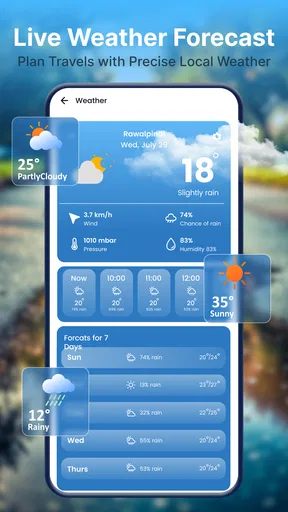
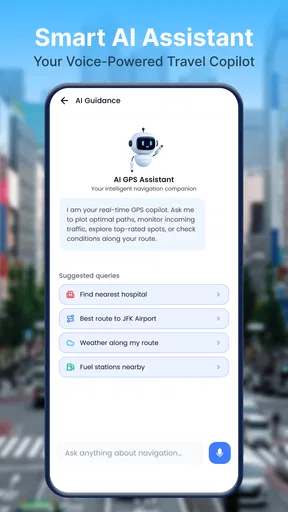
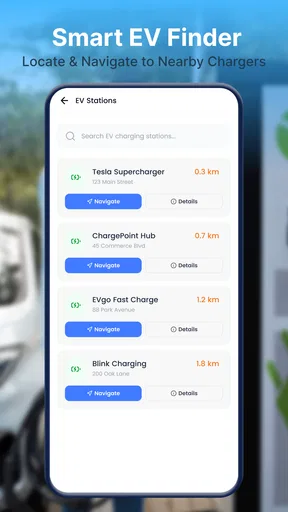
 Analysis by AppCompare
I judge a navigation app by what happens after I enter a destination: does it make the next turn clear without demanding too much attention? GPS Voice Navigation Live Maps puts spoken, turn-by-turn directions at the center of its appeal, alongside live maps. That focus matters most when I’m driving an unfamiliar route and would rather listen for guidance than keep checking a screen. It is a straightforward idea, but its value depends on how well it fits the trip and on whether I’m comfortable relying on a relatively new, lightly reviewed app.
Why the spoken cue matters behind the wheel
The most useful way to assess voice navigation is to think about the moments when a glance at a phone competes with watching the road. A clear spoken cue can give me a little more time to prepare for a turn, especially when traffic is moving and the next street arrives sooner than expected. It doesn’t remove the need to look around, but it can make the map a supporting reference rather than the only source of direction.
For that benefit to hold up, I’d make the route setup part of my pre-drive routine. I would choose the destination while parked, check that it is the correct place, and make sure the phone is mounted where I can see it without reaching for it. This is particularly useful when an address has several nearby entrances or when I’m heading to a large building: confirming the destination before leaving helps avoid making corrections at an awkward moment.
Voice guidance is the main reason to try it
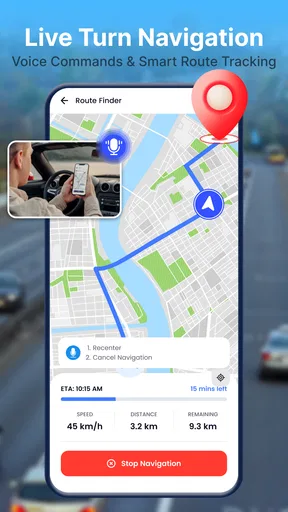
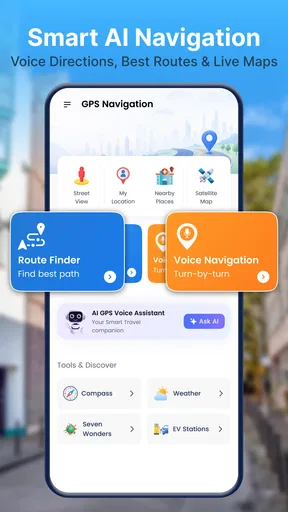
Made by Tools Generation Hub, this free Maps & Navigation app is aimed at people who want a route presented as spoken instructions as well as a map. In practice, voice navigation can reduce the repeated glance from road to screen: I can keep my attention on traffic and wait for the next instruction instead of trying to interpret every bend from the map. That is a useful distinction from using a map app only as a visual reference.
The app’s stated focus is easy to understand, but I would not treat spoken directions as a substitute for paying attention. Voice prompts are most helpful when they confirm what I can already see: the upcoming turn, the correct side of a junction, or the moment to prepare for a change in direction. At complicated intersections, I would still glance at the map when safe. A voice instruction can be concise, while the road layout may need a little more context.
The practical benefit is fewer screen checks, not hands-free certainty. That makes this style of navigation a sensible fit for ordinary driving, especially on routes I don’t know well. It is less compelling if I mainly want to study a route before leaving, compare several alternatives, or browse detailed map information. Those jobs call for tools with a broader planning role rather than a simple emphasis on guidance.
What the live map adds to spoken directions
A live map and a voice prompt serve different purposes. The spoken instruction tells me what action is coming; the map helps me understand where that action sits in the route. Used together, they can make navigation easier to follow than either a silent map or audio alone. I would use the visual view to get oriented before a difficult junction, then rely on the voice to remind me when to act.
Worth Reading Before You Choose

EA SPORTS FC Mobile 26 Is a Bigger Football Game, but It Takes Time

Flipboard Shows What News Apps Must Do Beyond the Feed

Switching to Android Auto Means Rethinking Your Driving Routine

Google Calendar Makes a Crowded Week Easier to Manage

Ludo King Makes the Most of the Minutes Between Plans

Baby Panda World Brings Quick Play to Modern Phones, but Its Game Library Feels Busy
That pairing is also useful for passengers. A passenger can follow the map and help spot a missed turn without the driver needing to narrate every decision. If I’m alone, I’d set up the destination before moving and keep the phone positioned where it is visible without obstructing the road. These are simple habits, but they make voice-led navigation more useful and reduce the temptation to handle the phone mid-trip.
A sensible routine for using it
Before setting off, I would enter the destination while parked, check that the route shown is the one I intend to take, and make sure the phone can be heard from its mount. That small pause is worthwhile: a spoken prompt is only helpful if I can hear it, and a map is only useful if the screen is placed sensibly. If the route begins in a confusing car park or a dense street grid, I’d take a moment to orient myself before driving rather than expecting the app to solve every wayfinding problem instantly.
On the road, I’d treat the audio as a reminder and the map as a supporting reference. If a direction seems inconsistent with road signs or the lane I’m in, I would follow safe, lawful driving and reassess when stopped. This is good practice with any navigation app, but it matters particularly when an app’s main appeal is the promise of guidance: convenience should not become blind trust.
Where voice navigation earns its keep
A realistic everyday example is a trip to a clinic, a friend’s new apartment, or a shop in a part of town I rarely visit. I may know the general area but not the final turns. With spoken prompts, I can concentrate on traffic and use the map to confirm that I’m approaching the right street. The app’s focused approach is most valuable in that middle ground: the journey is unfamiliar enough to need help, but not so complex that I need extensive route planning or specialist navigation tools.
It can also help when a passenger is not available to navigate. Instead of repeatedly zooming and panning a map, I can listen for the next direction and glance at the screen when I need extra context. For someone who already uses a phone mount, this is a practical way to make navigation feel less like a sequence of screen interactions. I would still prepare the route before moving, because changing destinations while driving is an avoidable distraction.
For a short familiar commute, the benefit may be modest. I already know the turns, so continuous prompts may add little beyond reassurance. On the other hand, if I’m driving through an unfamiliar neighbourhood after dark, spoken cues can make it easier to anticipate an upcoming turn rather than noticing it at the last moment. The key is not that voice guidance makes a route effortless; it gives me another way to follow it.
A small test that answers practical questions
A low-stakes trial can tell me more than a quick look at a feature description. I’d choose a destination I know, start the route while parked, and listen for whether the directions are easy to understand in my usual driving environment. I’d also check whether the map remains readable from its mount and whether the prompts arrive in a way that helps me prepare rather than surprises me. If anything feels unclear, I can stop and reassess instead of trying to troubleshoot while moving.
This trial is also a sensible way to judge whether it works for a particular car or routine. Some drivers have a quiet cabin and can hear prompts comfortably; others may have road noise, passengers, or audio already playing. I would not assume one setup suits everyone. If spoken directions are hard to hear, the map still needs to be an effective visual backup, and I’d keep a familiar navigation option available until I’m confident in the new routine.
How it sits beside familiar alternatives
Many people already have a navigation option they trust, often bundled with a map service they use for searching places or planning journeys. Compared with that familiar all-purpose approach, this app’s clearest identity is its emphasis on voice-led directions and a live map. I would consider it when I want a simple navigation companion, rather than assuming it replaces a broader mapping service for every travel need.
The trade-off is confidence and scope. A well-established navigation app may be a better choice if I depend on detailed route choices, traffic-aware planning, saved places, or a large body of user feedback. I would not assume those capabilities are present here. If my trip is time-sensitive or involves a complicated route, I’d use the navigation tool I already know works for that journey and try this app on a lower-stakes outing first.
That cautious comparison is especially relevant because the app has a 3.7 average from 15 ratings, with only 2 written reviews. It has passed 10K installs, so it is not entirely obscure, but the amount of public feedback is still limited. I’d read that as a reason to test it for myself rather than as proof that it will or won’t suit me. Navigation is personal: a clear voice prompt and a legible map matter more to my daily use than a rating alone.
Limits worth considering before a trip
Voice navigation can be less convenient in a noisy car, with passengers talking, or when I cannot comfortably hear audio. In those situations, I’d want the map to remain easy to check, and I would not rely on sound as my only cue. Likewise, a live map does not remove the need to verify a destination or watch for road signs. If I need offline directions, specialist route planning, or extensive map research, I would choose an app known for those particular needs instead of making assumptions from this app’s central focus.
There is also a practical difference between trying a free app and committing to it as my only navigator. The app is free to download, but in-app purchases are listed at $14.99 per item. I’d check what an optional purchase covers before paying and first decide whether the basic navigation experience works for my routine. This is a sensible way to avoid spending on something that turns out not to match my expectations.
The age rating is Everyone, which makes the audience broad, though the core use is plainly for people who need directions while travelling. The current release is version 1.0.6, and the minimum operating system is 7.0. Those details help establish whether a device can run it, but they do not tell me how it will behave on a particular phone or in a particular car. I’d do a brief test before depending on it for an important appointment.
Who is likely to get the most from it
I’d recommend giving GPS Voice Navigation Live Maps a try if you want a focused way to hear upcoming turns while following a live map, and you are willing to judge it on a familiar, low-pressure journey first. It may suit occasional drivers, people visiting an unfamiliar address, or anyone who prefers audio cues to constant screen checking. The developer, Tools Generation Hub, has kept the app’s identity centred on that straightforward navigation use.
I would skip it as my primary choice if I need a proven, feature-rich planning platform or have little tolerance for testing an alternative before a high-stakes trip. The small pool of written feedback makes it harder to know how consistently it works for different users, so I’d avoid making it my only option until I’ve tried it on routes I know. If it feels clear and reliable in that trial, it can earn a place as a practical everyday navigator.
My recommendation
For me, the appeal is not a long list of extras; it is the chance to follow directions by listening while the map provides a visual check. That can make an unfamiliar drive calmer, particularly when I prepare the route before moving and keep the phone mounted safely. The limits are just as important: voice prompts still need common sense, and people who depend on advanced planning or established feedback may be better served by their usual navigation app.
I’d treat this as a candidate for ordinary trips, not something to trust without a test. Try it on a route where a missed turn would be a minor inconvenience, see whether the spoken guidance works for your driving habits, and decide from that experience. If the audio-and-map combination suits you, it offers a focused, free starting point; if you need broader tools or stronger reassurance, keeping a familiar alternative is the wiser choice.
Pros
- Voice-guided directions let you keep your eyes on the road.
- Live traffic information can help you avoid congestion.
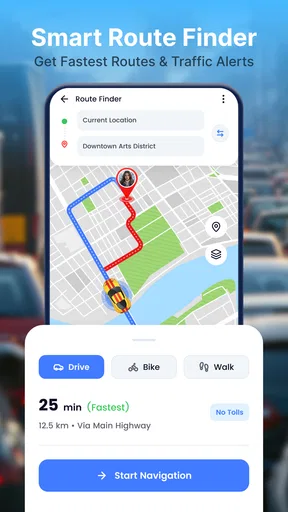
- Multiple route options make it easier to compare journeys.
- Map and navigation tools are useful for planning unfamiliar trips.
- Clear visual guidance helps you follow turns and exits.
Cons
- Live traffic updates may require an internet connection.
- GPS use can drain your battery during long journeys.
- Voice directions may be difficult to hear in a noisy car.
- Map data may be outdated or incomplete in some areas.
- Location access is needed for personalized navigation.
FAQs for GPS Voice Navigation Live Maps
What is GPS Voice Navigation Live Maps used for?
GPS Voice Navigation Live Maps is designed to help users plan routes and follow turn-by-turn directions while traveling. Depending on the features available in the version you download, it may also provide map viewing, estimated arrival information, and voice prompts so you can keep your attention on the road. Check the app listing and permissions to confirm which navigation tools are included.
Does GPS Voice Navigation Live Maps work offline?
Offline availability can vary by app version and the maps or regions you use. Some navigation apps require an internet connection to load maps, search for places, or receive updated traffic information, while downloaded map areas may support limited offline guidance. Before relying on it somewhere with poor coverage, check the app’s settings and current store description, and download any supported map data in advance.
Does the app provide live traffic information and accurate arrival times?
The name suggests live navigation, but traffic coverage and route updates depend on the app’s data sources, your location, and an active internet connection. Traffic conditions can change quickly, so estimated arrival times and suggested routes should be treated as helpful guidance rather than guarantees. For a time-sensitive journey, compare the proposed route with current road conditions and follow local signs.
Is GPS Voice Navigation Live Maps free to download and use?
The price and payment model can differ between Android and iOS releases and may change over time. The app may be free to install while offering advertisements, optional in-app purchases, or paid features. Review the store page before downloading and check the in-app purchase details so you know whether any maps, navigation options, or other tools require payment.
What permissions and privacy considerations should I know about before installing it?
A navigation app generally needs location access to identify your position and provide directions; some features may also use an internet connection or other permissions. Grant only the access needed for the features you intend to use, and review the privacy information on the relevant app-store listing. Location use may affect battery life, especially during long journeys with the screen and GPS active.


